Resetting the TCP/IP Stack to Troubleshoot Stubborn Local Network and IP Configuration Conflicts
Most of the time, misconfigured or corrupted TCP/IP settings are the root cause of persistent network problems. These problems might include restricted connection, improper IP assignments, or an inability to access local resources. Alterations to the software, upgrades to the drivers, or inappropriate settings of the network may all lead to these kinds of issues. The primary networking component of Windows is known as the TCP/IP stack, and it is responsible for managing communication between connected devices and networks. It is possible for regular connection to fall down in unanticipated ways when it becomes unstable. There is a tried-and-true way for restoring the default network settings and removing any hidden conflicts, and that is to reset the TCP/IP stack. Rebuilding registry entries, clearing out custom settings, and reinitializing communication protocols are all things that this operation does. When it comes to fixing difficulties that normal troubleshooting is unable to eliminate, it is very successful. When it comes to maintaining a reliable network environment, having a solid understanding of how and when to reset the TCP/IP stack is very necessary. Resolving even the most complicated connection issues in an effective manner is possible with the right approach.
Recognizing the Functions of the TCP/IP Communication Stack
Within the operating system, the TCP/IP stack is the component that is accountable for managing every and every network communication. It specifies the encapsulation, transmission, and reception of data over networks. A few examples of this include the assignment of IP addresses, the management of routing, and the guarantee of dependable data transport. It is possible for connection problems or communication breakdowns to occur if there is any disturbance in this system. Protocols, drivers, and configuration settings are some of the components that are dependent on the stack’s ability to function and collaborate with one another. In the event that a single component gets corrupted or misconfigured, the functionality of the whole network may be in play. Having an understanding of its function helps to clarify why resetting it may lead to the resolution of ongoing problems. In Windows, it serves as the basis for all procedures involving networks. In order to ensure consistent connection, it is essential to preserve its integrity.
The Most Common Reasons for Problems with TCP/IP Configuration
Problems with the setup of a network might originate from a variety of factors, such as wrong manual settings, obsolete drivers, or software incompatibilities. Installing or deleting apps that are tied to the network may result in unanticipated changes to the system settings. Malware or flaws in the system may also cause TCP/IP setups to get corrupted. It is possible for conflicts to arise while moving between networks that have different settings in certain circumstances. Because of these problems, there is a possibility that duplicate IP addresses, gateway errors, or DNS resolution challenges may occur. It is not always easy to determine the underlying problem, which is why it is often required to do a complete reset. By gaining an understanding of these factors, one may better determine when it is necessary to do a reset. At the same time, it emphasizes the need of keeping the configuration of the network clean. Taking action to address these concerns will reestablish healthy communication.
The TCP/IP Stack Can Be Reset Through the Use of Command Prompt
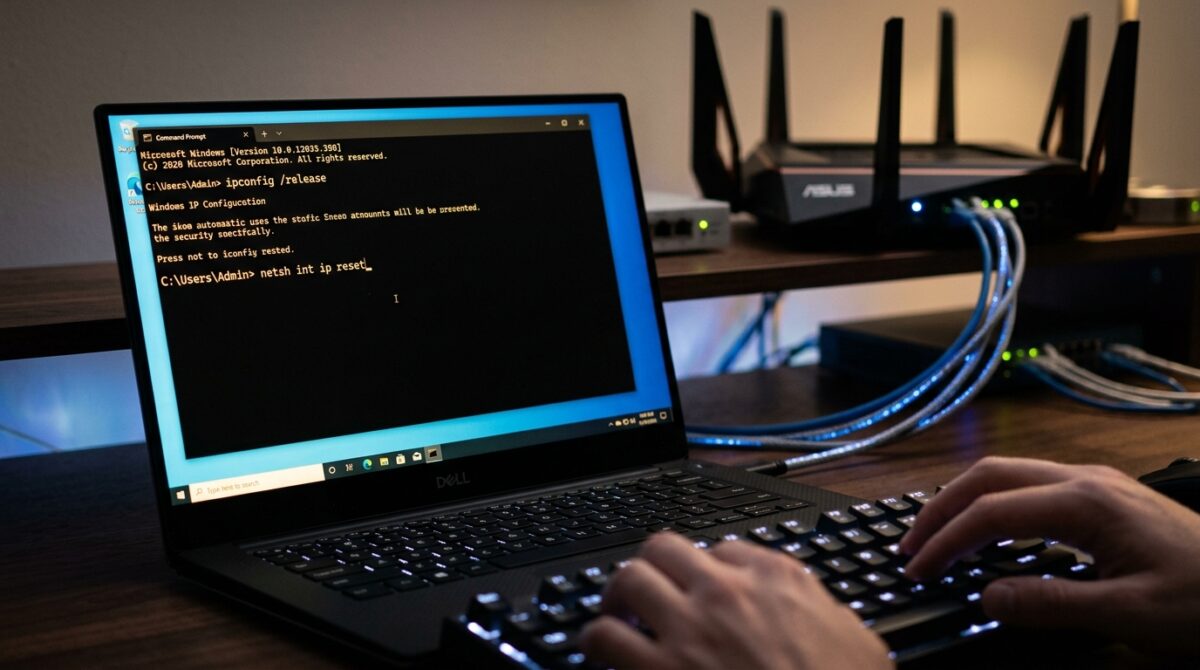
When resetting the TCP/IP stack, it is common practice to use the Command Prompt program with administrator capabilities available. The procedure entails carrying out certain instructions that are responsible for reconstructing the network configuration from the ground up. Resetting the TCP/IP settings and clearing the registry entries that are associated with them is one of the major commands. It is possible to use additional instructions in order to empty DNS caches, release and renew IP addresses, and release IP addresses. The completion of these processes guarantees that all of the network settings are updated. In order to edit system-level settings, it is necessary to have elevated permissions in order to execute these commands. In order to resolve difficulties with deep configuration, this strategy is both straightforward and effective. A successful execution will restore the default behavior of the networking system. In advanced troubleshooting, this is an essential step to do.
Performing a System Reboot Following a System Reset
Following the process of resetting the TCP/IP stack, it is essential to restart the system in order to implement the proposed modifications. Simply restarting the computer gives the operating system the opportunity to reload the network components with the most recent configuration. Without restarting, it is possible that some modifications may not take effect as intended. Following this step, you will confirm that all of the services and drivers have been appropriately initialized. Additionally, it removes any transient states that can cause problems with the newly configured settings. The procedure begins with a simple yet crucial step known as “rebooting.” Absence of this phase may result in a resolution of the problem that is only partially complete. A successful restart brings the reset to a successful conclusion and gets the system ready for regular operation. This guarantees that the network stack operates in the manner it was meant.
Verifying the Configuration of the Network Following the Reset
Immediately after the restart of the system, it is essential to check that the network setup is operating as it should. In order to confirm that the system is getting accurate network information, it is necessary to investigate the allocated IP address. By confirming that communication has been restored, testing the connection to both local and external resources is taken into consideration. The process of reviewing the settings of the network adapter helps to guarantee that there are no more wrong setups. Careful reapplication of manual settings is possible in the event that it is required. By verifying the reset, one may guarantee that it has produced the intended outcome. Additionally, it assists in identifying any abnormalities that may still be present and need additional treatment. The completion of this phase indicates that the procedure of troubleshooting was successful. For connection that is dependable, proper validation is very necessary.
reconfiguring the settings of the individual network
When the TCP/IP stack is reset, all custom settings that were previously applied are removed. Among them are gateway setups, personalized DNS settings, and static Internet Protocol (IP) addresses. It is necessary to adjust these settings after the reset, if they are necessary for the environment of the network. Taking care to apply the appropriate values is necessary in order to prevent the reintroduction of disputes. It is possible to ease this procedure by using documentation of the previous settings before conducting the reset. The process of reconfiguring the system guarantees that it functions in accordance with the necessary specifications for the network. When dealing with settings that have very specific setups, this step is essential. Setting up the system correctly restores both functionality and customisation.
Avoiding the Most Frequent Errors During the Reset Process
There are a number of frequent errors that might render a TCP/IP reset less effective. Attempting to apply changes by running commands without having administrator access might potentially prevent this from happening. When you forget to restart the system, it is possible that the configuration will not be complete. In the event that you fail to back up your custom settings, you run the risk of losing essential customizations. Incorrectly perceiving network problems might result in resets that are not required. Users must to adhere to an organized method and check each step in order to save themselves from these issues. The proper application of the process is dependent on having a solid understanding of the process. To increase the chance of effective troubleshooting, it is important to avoid making errors. It is essential to execute with caution in order to resolve network issues.
Preserving the Network’s Stability Over the Long Term
The TCP/IP stack may be reset, which is an effective option; nevertheless, maintaining stability demands constant monitoring throughout this process. Keeping network drivers up to date guarantees that they are compatible with the operating system. It is possible to lessen the likelihood of disputes by avoiding making changes to the network settings that are not essential. Maintenance of the system on a regular basis helps to avoid the corruption of configuration files. Monitoring the performance of the network may help uncover problems at an earlier stage. It is possible to maintain constant connection over time by establishing effective practices. Having a network environment that is stable is beneficial to both productivity and dependability. It is possible for users to reduce the likelihood of future issues by combining appropriate troubleshooting with preventative actions. When it comes to long-term stability, both corrective and proactive actions are considered necessary.