Preventing Drive Letter Reassignment on External Hard Drives to Maintain Stable Backup Paths
Windows users often experience a problem known as drive letter reassignment, which has the potential to interfere with automatic backups, scripts, and program paths. When an external hard drive is attached to a computer, Windows may give it a drive letter that is different from what was anticipated. This is particularly true when there are other storage devices available. Inconsistencies like this may disrupt backup methods, lead to mistakes in software, and result in file operations that are unsuccessful. For users that depend on consistent directory paths, it is very necessary to have a set drive letter. In order to completely prevent these issues, it is possible to configure the system in such a way that it will give a permanent letter to a certain disk. From one session to the next, this guarantees that backup tasks and file references will stay constant. To ensure that Windows continues to function reliably, it is essential to have a solid understanding of how it handles drive letters and how to change its default behavior. With the right setup, it is possible to incorporate external drives into automated operations in a smooth manner.
Having an Understanding of the Drive Letters That Windows Assigns
In the event that a storage device is attached, Windows will automatically assign drive letters depending on the availability of the device. It adheres to a certain sequence, often beginning with the letter that is immediately accessible following the drives that are already in place. On the other hand, this method does not ensure consistency, particularly when using a number of different detachable devices. Windows will choose a new letter to use regardless of whether or not a previously allocated letter is currently being used. Applications that depend on fixed pathways may potentially have problems as a result of this dynamic assignment. It is possible that drive letters may change suddenly, and understanding this behavior will explain why. In processes that are steady, it brings to light the need of manual setting. In the absence of any assistance, the system places an emphasis on availability rather than consistency. This behavior is not good for automated operations since it is the default.
Making a Permanent Drive Letter Assignment Through the Use of Disk Management
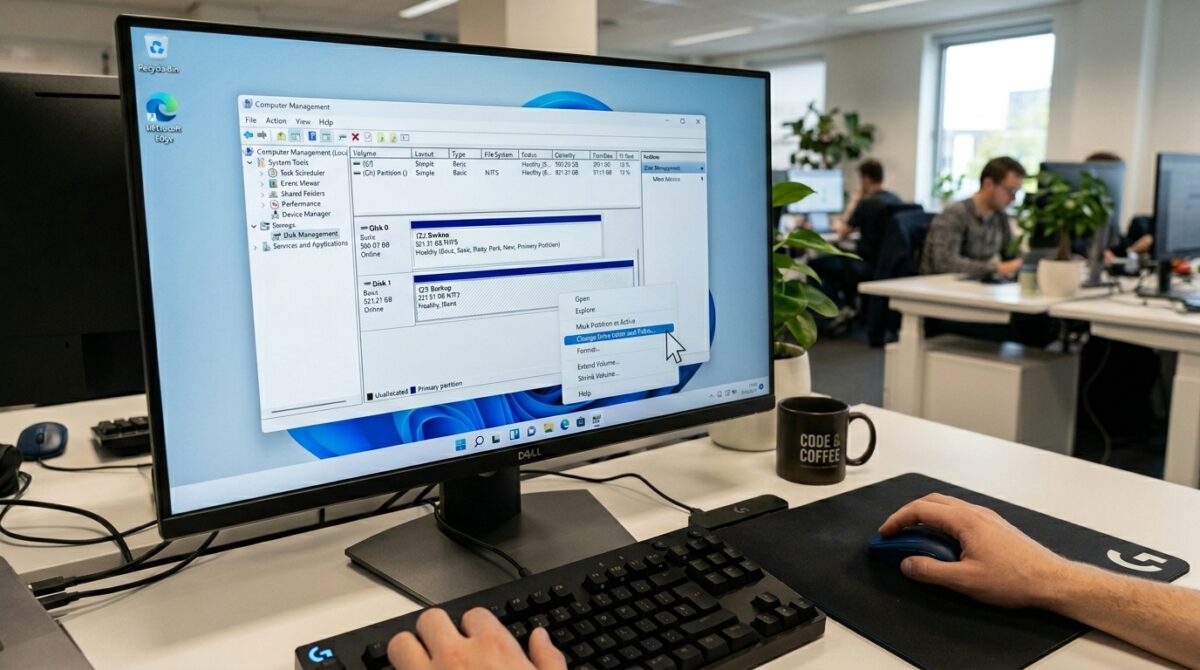
When it comes to assigning a fixed drive letter to an external disk, Disk Management affords a basic method. Users have the ability to manually modify the letter that is associated with a certain volume by downloading and using this utility. When the drive is attached to Windows, Windows will make an effort to remember this letter after it has been allocated. By selecting a letter that is not likely to be used by other devices, the likelihood of encountering a dispute is decreased. The use of this strategy guarantees that the drive will continue to show the same identification throughout the system. The procedure is simple, yet it is quite efficient in terms of establishing processes. Assigning a letter that will remain in place is the first step in establishing dependable backup pathways. This removes the ambiguity that is associated with automated assignment.
Deciding Which Drive Letter to Use in Order to Achieve Stability
It is essential to the setup procedure that you choose a drive letter that is suitable for your computer hardware. There is a lower probability that Windows will automatically assign letters that are located at the end of the alphabet. This decreases the likelihood of conflicts occurring with temporary devices like USB drives or network mappings. Maintaining a consistent letter selection across many platforms is another way to enhance mobility. One way to simplify settings is to always use the same letter for backup disks across all of your devices. One way to assure long-term stability is to avoid using regularly used letters. A careful selection eliminates the possibility of future reassignment problems. This seemingly little choice has a big effect on the dependability of the process.
Maintaining Compatibility with Other Electronic Devices
In situations where numerous devices are competing for the same letter, drive letter conflicts often occur. USB devices, memory cards, and network drives are all susceptible to making this mistake. In order to avoid any potential conflicts, it is essential to set aside certain letters for very crucial devices. During the initial setup process, disconnecting devices that are not essential might assist guarantee that they are assigned correctly. An extra control may be obtained by monitoring linked devices and the letters that have been allocated to them. It is possible that reassigning letters to devices that are less critical might free up preferred selections in some circumstances. Taking preventative measures to manage these issues lowers the likelihood of being reassigned. An environment that is under control guarantees that significant drivers will continue to function normally. The technique in question promotes consistent behavior throughout the system.
For the purpose of automation, preserving stable backup paths
The proper operation of automated backup systems is dependent on the existence of established pathways. There is a possibility that backup scripts will be unable to identify the destination directory if the drive letter change. This might lead to backups that are partial or even the loss of data. In order to prevent these problems, it is necessary to be certain that the external drive always uses the same letter. It is possible to setup scripts and applications with complete assurance, considering that the route will continue to be valid. Unattended operations and scheduled activities both need this steadiness in order to function properly. Drive identification that is consistent enhances dependability and decreases the amount of maintenance required. It makes it possible for backup procedures to continue running uninterrupted. Each and every one of these is an essential prerequisite for effective data management.
The use of volume labels as a supplementary identifier
Another method of identifying external drives is via the use of volume labels, which works in conjunction with drive letters. This makes it much simpler to identify the appropriate drive by assigning a name that is both distinctive and descriptive. Despite the fact that labels do not take the place of drive letters in file paths, they are helpful in preventing misunderstanding while doing manual procedures. Additionally, several backup solutions have the capability to reference disks by label, which adds an additional layer of trustworthiness. Utilizing clear labels in conjunction with fixed drive letters results in an overall improvement in organization. The automation and usability of the system are both improved by this dual approach. Through this, it guarantees that the appropriate drive is always chosen. Labeling that is accurate is beneficial to the administration of the system.
Methods for Avoiding the Most Common Errors in Drive Configuration
When it comes to drive letter instability, there are many basic problems that might occur. In order to maximize the possibility of reassignment, it is recommended to assign a letter that is commonly used by other applications. In the event that the disk is not configured using Disk Management, it will be vulnerable to modifications that are made automatically. An other factor that might result in unexpected behavior is ignoring conflicts with network drives. It is possible that it will impair recognition if you remove and reconnect disks that do not have consistent ports. Users need to adhere to an organized setup procedure in order to prevent these problems happening. Performing a configuration verification after making modifications guarantees that the drive will function as anticipated. Keeping these potential risks in mind is helpful in maintaining a reliable system. A careful arrangement eliminates the possibility of recurrent issues.
Making Certain That Workflows for External Storage Are Dependable Over the Long Term
There is a larger approach for dependable storage management, and one of its components is the maintenance of stable drive letters. Checking the configurations of the system on a regular basis helps to guarantee that the settings are unchanged. It is possible to lessen the likelihood of failure by regularly testing and updating backup scripts. It is possible to increase connection stability by using external disks and cables of a high grade. Having procedures that are consistent across all systems results in an environment that is predictable. The implementation of these steps will, in the long run, result in a more reliable workflow. One of the most fundamental aspects of this approach is the identification of stable drives. It enables the management of data in an effective and error-free manner. In order for users to accomplish consistent and dependable backup operations, it is necessary for them to apply certain principles.